Introduction
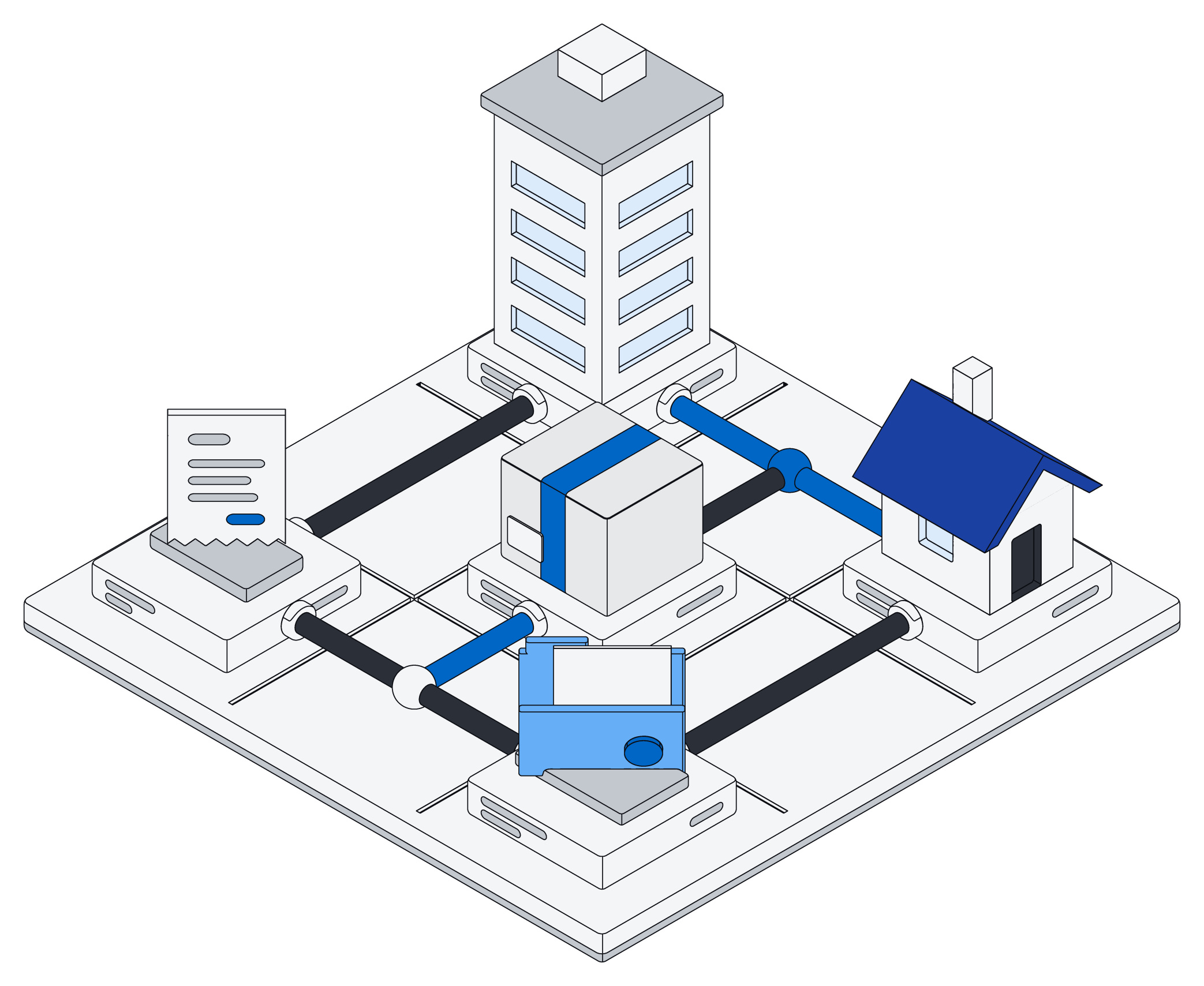
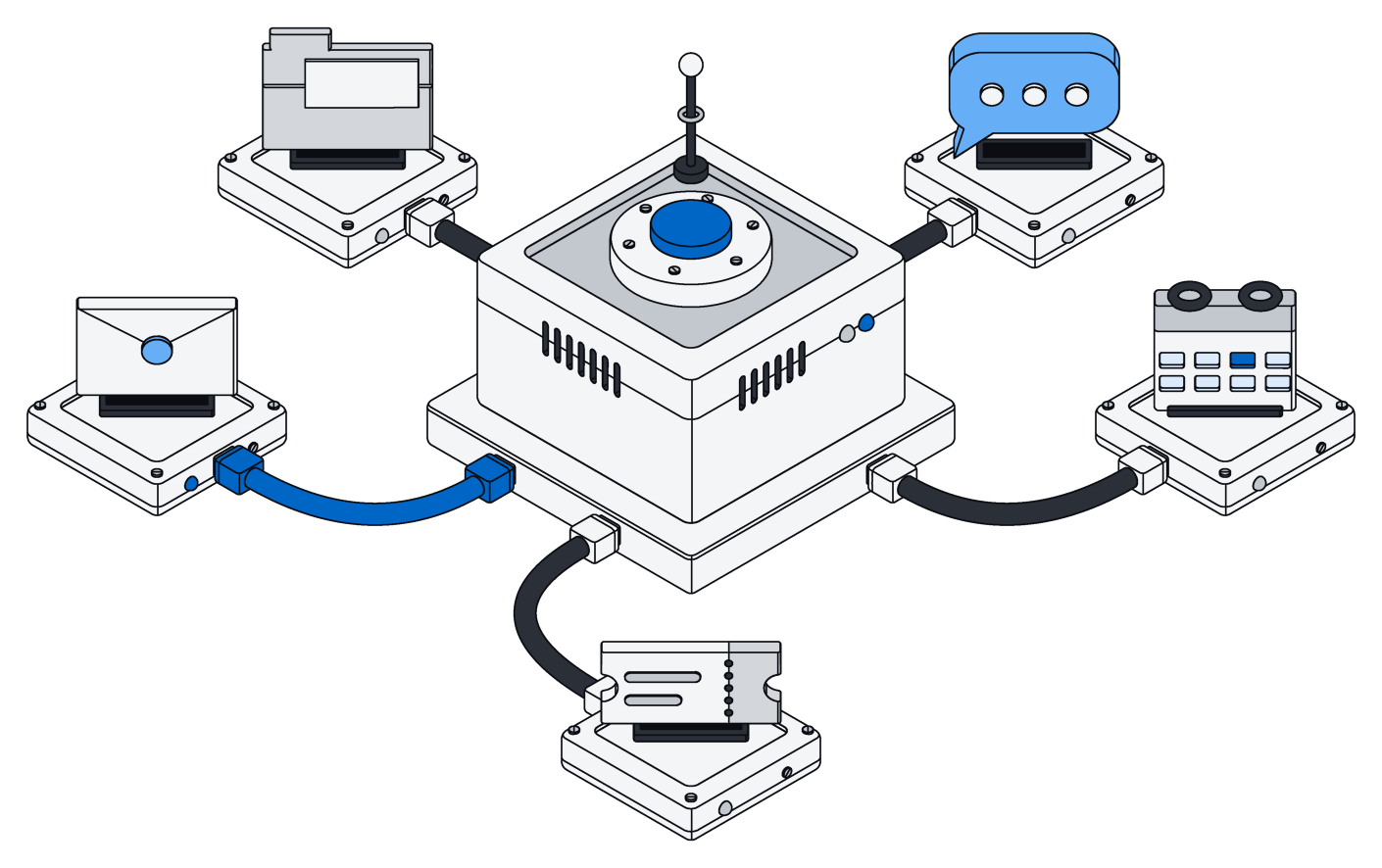
Archive is a workspace for pages, tables and files with a real Postgres 18 database underneath. Your team works in the web app, your code calls the HTTP API, and every AI app connects over MCP.
Three ways in
- The web app for you and your team: pages, tables, views and files.
- The HTTP API at
/apifor your code, with a token. - MCP at
/mcpfor your AI, with one tool:run.
All three pass the same permissions before they touch a row or a file.
Postgres underneath
Each type you define is a real Postgres table, and a row is one record. People, spaces and tokens are Postgres roles, and row-level security filters every query, so plain SQL sees exactly what the app sees.
Your AI does the thinking
Archive calls no AI model on its own. Your assistant reads what is there, decides what to do, and sends Archive a short TypeScript script to run.
Quick start
From sign-up to your first answer in a few minutes. No card, no sales call.
- Sign up at mulholland.ai and create a workspace. It lives at
https://your-workspace.archive.mulholland.ai. - Sign in with the link we email you. You get a private space of your own.
- Create a token (see Tokens) and keep it as
ARCHIVE_TOKEN. - Connect your AI (see Connect your AI), or call the API straight away.
Your first call
Every call carries your token. This one runs a one-line script that lists your tables.
export ARCHIVE_TOKEN=<your token>

curl https://your-workspace.archive.mulholland.ai/api/run \
  -H "Authorization: Bearer $ARCHIVE_TOKEN" \
  -d '{"code": "return await archive.tables()"}'
{"result": [{"name": "invoice", "kind": "table", "description": "An invoice you sent", "icon": "receipt", "columns": [...]}], "logs": [], "error": ""}Your first type
You rarely write DDL by hand. Ask your AI, and it plans the change before it applies it.
In my Archive, add an invoice table with a customer, an amount of money, a status
(draft, unpaid or paid) and a due date. Use the run tool: read the files with
archive.schema(), add invoice.sql, and show me the plan from archive.apply(files).
Only apply it with { confirm: true } after I say yes.
Connect your AI
Archive is a remote MCP server at /mcp, over streamable HTTP, with one tool: run. Add it once with your token and your AI can read and change everything the token can.
The run tool's description is the full SDK reference plus a type for each of your tables, so your AI writes against your real schema from the first call.
Claude Code
claude mcp add --transport http archive https://your-workspace.archive.mulholland.ai/mcp \
  --header "Authorization: Bearer $ARCHIVE_TOKEN"
Cursor
Add this to .cursor/mcp.json in your project, or to ~/.cursor/mcp.json for every project.
{
  "mcpServers": {
    "archive": {
      "url": "https://your-workspace.archive.mulholland.ai/mcp",
      "headers": { "Authorization": "Bearer <your token>" }
    }
  }
}
Claude Desktop
Claude Desktop's config file starts local programs, so bridge to the remote server with mcp-remote, which sends your token as a header. Add this to claude_desktop_config.json and restart Claude.
{
  "mcpServers": {
    "archive": {
      "command": "npx",
      "args": [
        "-y", "mcp-remote",
        "https://your-workspace.archive.mulholland.ai/mcp",
        "--header", "Authorization:${AUTH_HEADER}"
      ],
      "env": { "AUTH_HEADER": "Bearer <your token>" }
    }
  }
}
ChatGPT and claude.ai
Both reach your workspace over its public HTTPS address. Add https://your-workspace.archive.mulholland.ai/mcp as a custom connector.
Archive's MCP server signs requests in with a bearer token and has no OAuth sign-in yet. Use these apps where their connector settings let you send an Authorization header.
Check the connection
Call Archive's run tool with: return await archive.tables()
Then tell me which tables and views I have, and what each one is for.
Tokens
A token acts as you, and it can only narrow what you can do. Agents, scripts and CI each get their own.
Authorization: Bearer $ARCHIVE_TOKEN
Create a token
Create your first token in your workspace once you are signed in. After that, make more with the API. The token value comes back once, in the response to create.
curl https://your-workspace.archive.mulholland.ai/auth/tokens \
  -H "Authorization: Bearer $ARCHIVE_TOKEN" \
  -d '{"name": "invoice-agent", "spaces": {"finance": "editor"}, "expires": "720h"}'
201 {"id": "0193…", "name": "invoice-agent", "spaces": {"finance": "editor"}, "expires_at": "2026-11-27T09:30:00Z", "created_at": "2026-10-28T09:30:00Z", "token": "…"}Scope
| Field | What it does |
|---|---|
name | A label, so you know which token is which. |
spaces | Spaces and a role in each, like {"finance": "viewer"}. Never higher than your own role there. Left out, the token gets your current role in every space you are in. |
expires | A lifetime such as "720h". Left out, the token does not expire. |
full | All your rights, including managing spaces, members and tokens, as Terraform needs. A full token takes no spaces. |
List and revoke
GET /auth/tokens lists your tokens without their values. DELETE /auth/tokens/{id} revokes one, and it stops working at once. When someone's role in a space goes down, their tokens for that space go down with it.
Your own types
Each kind of record is a real Postgres table in the public schema. The table is the type, a row is a record, and nothing else is stored about it.
What every table needs
The columns id, space, created_at, updated_at and a search tsvector, a search index, and row-level security with policies. A plan without them is rejected. A complete file, invoice.sql:
CREATE TYPE invoice_status AS ENUM ('draft', 'unpaid', 'paid');

CREATE TABLE invoice (
    id         uuid PRIMARY KEY DEFAULT uuidv7(),
    space      uuid NOT NULL REFERENCES archive.space,
    created_at timestamptz NOT NULL DEFAULT now(),
    updated_at timestamptz NOT NULL DEFAULT now(),
    customer   text NOT NULL,
    amount     archive.money,
    status     invoice_status NOT NULL DEFAULT 'unpaid',
    due        date,
    search     tsvector GENERATED ALWAYS AS (archive.search_doc(customer)) STORED
);
CREATE INDEX invoice_search ON invoice USING gin (search);
ALTER TABLE invoice ENABLE ROW LEVEL SECURITY;
ALTER TABLE invoice FORCE ROW LEVEL SECURITY;
CREATE POLICY viewer ON invoice FOR SELECT USING (space = ANY (archive.my_spaces()));
CREATE POLICY editor ON invoice USING (space = ANY (archive.my_spaces('editor')))
    WITH CHECK (space = ANY (archive.my_spaces('editor')));
COMMENT ON TABLE invoice IS 'An invoice you sent
icon: receipt';
COMMENT ON COLUMN invoice.customer IS 'Who the invoice is for';
Archive sets id, space, created_at and updated_at. Columns marked NOT NULL without a default are required on create.
Settings in comments
The first lines of a table or view comment are its description. The last lines may be key: value settings. Any other key is an error, and so is an unknown icon, layout or column.
| Key | On | Value |
|---|---|---|
icon | Tables and views | A Lucide icon name in kebab-case, like receipt or square-check. |
layout | Views | table, board or calendar. |
by | Views | The column a board groups by, or the date a calendar places rows on. |
Column comments become the field descriptions your AI reads in the run tool.
Built-in types
Ready-made column types in the archive schema. Writes clean messy input first, then Postgres checks the format, so the same thing is stored the same way whatever it came from.
| Area | Types |
|---|---|
| People and places | name, email, phone, address, postcode, country, region, geo, locale |
| Time | timestamp, time, interval, duration, timezone, recurrence |
| Money and business | money, currency, percentage, iban, bic, us_routing, us_ein, vat_id, lei, isin |
| Products and the web | quantity, gtin, isbn, url, domain, ip, mime, richtext |
| Secret | card, us_ssn, nl_bsn, national, passport (see Secret fields) |
So "06 12345678" is stored as "+31612345678", "€ 1.234,50" as { amount: 1234.5, currency: "EUR" }, and "3-4-1990" as "1990-04-03".
References and lists
- A reference is a foreign key:
customer uuid REFERENCES company. - A list of references is
uuid[]with a column comment startingreferences company. - Other lists are plain arrays, like
text[]. There is no type inheritance. - Files load in any order. For two tables that reference each other, add at least one of those references with
ALTER TABLE … ADD FOREIGN KEYafter itsCREATE TABLE.
Changing the schema
The live database is the only source of truth. Read it as files, change a file, see the plan, then apply it. No migrations to write.
Read
archive.schema() generates the DDL from the database: one <name>.sql per table or view, with its indexes, foreign keys, row-level security, policies, triggers and comments. The text is normalized, so your layout and -- comments are not kept; COMMENT ON is.
Plan
Pass the whole set of files to archive.apply without confirm to see the statements it would run, each with its hazards.
const files = await archive.schema()
files["invoice.sql"] += "\nALTER TABLE invoice ADD COLUMN paid_on date;"

return archive.apply(files)
{
  "statements": [
    { "ddl": "ALTER TABLE \"public\".\"invoice\" ADD COLUMN \"paid_on\" date" }
  ],
  "applied": false
}Plan and apply take the whole schema. A table in no file is dropped, so always start from archive.schema().
Apply
Call it again with { confirm: true }. Indexes are built concurrently, and foreign keys are added first and validated after, so tables stay usable while it runs.
- Apply commits on its own as soon as it succeeds, even if your script throws later.
- It waits for locks on what it changes, including locks your own run took by writing those tables. Apply first, or in a run of its own.
- New tables and views work in the same run, right after it.
Renames
The diff cannot tell a rename from a drop and an add, which would lose data. Pass renames explicitly, along with the files as they read after the rename. They run first, in the same transaction.
const files = await archive.schema()
for (const name in files) files[name] = files[name].replace(/\bcustomer\b/g, "client")

return archive.apply(files, {
  confirm: true,
  renames: ["ALTER TABLE invoice RENAME COLUMN customer TO client"],
})
Drops
A statement that deletes data, such as dropping a table or a column, is blocked unless you pass { allowDrop: true }. Dropping a view is never blocked, since a view holds no data.
Who can change it
Workspace admins, and admins of any space. Everyone else can read the schema but not apply it.
Keep it in git
apply(await archive.schema()) always plans nothing, so you can pull the files, keep them in a repository and apply them back. Over HTTP, use GET /api/schema and POST /api/schema/plan or /apply with {"files": {...}, "renames": [...], "allow_drop": false}.
Views
A view is a saved way to look at a table: a real Postgres view in its own file, with its layout in its comment. Boards, calendars and filtered tables are all views.
CREATE VIEW invoice_board WITH (security_invoker = true) AS
    SELECT * FROM invoice WHERE status <> 'draft';
COMMENT ON VIEW invoice_board IS 'Invoices by status
layout: board
by: status
icon: kanban';
CREATE VIEW invoice_due WITH (security_invoker = true) AS
    SELECT * FROM invoice WHERE status = 'unpaid';
COMMENT ON VIEW invoice_due IS 'Unpaid invoices by due date
layout: calendar
by: due
icon: calendar';
What every view needs
WITH (security_invoker = true), so row-level security applies to whoever reads it.- An
idcolumn, whichSELECT *from a table already gives you. - A comment, with
layout,byandiconas its last lines.
Reading a view
list, get and search read views like tables. Views are read only: create, update and delete go to their tables, and writes to a view over HTTP return 405. archive.tables() shows each view with kind: "view", its layout and its by column.
Add, change or remove one
Views are schema, so you change them like tables: set files["invoice_board.sql"] and apply, or delete that key and apply to remove it.
Search
One search covers every table and file you can see, best match first.
const hits = await archive.search("northwind", { type: "invoice", from: "2026-01-01" })
curl "https://your-workspace.archive.mulholland.ai/api/search?q=northwind&type=invoice" \
  -H "Authorization: Bearer $ARCHIVE_TOKEN"
How it matches
Words match by prefix and ignore case and accents: "nort" finds "Northwind", and "cafe" finds "Café".
Filters and results
Filter by type (a table name, or "file"), space, and from and to dates. You get 20 hits by default and up to 100 with limit.
Each hit has kind ("entity" or "file"), type, id, space, date, data and score. File hits add a snippet with the matches in bold.
What gets searched
A row is found by the words in its search column, so put the columns people look for there: archive.search_doc(customer, notes). A file is found by its name and extracted text.
Files
Upload any file. Archive pulls out its metadata and text before the upload returns, so search finds it right away.
curl "https://your-workspace.archive.mulholland.ai/api/files?space=finance" \
  -H "Authorization: Bearer $ARCHIVE_TOKEN" \
  -F [email protected]
What Archive extracts
Text from PDF, HTML, plain text, JSON, email and pages. Metadata such as page counts, image dimensions and mail headers. Thumbnails for images. A file's status is done when its upload returns.
Office files are stored and edited in place but not text-extracted yet, so search finds them by name only.
Large files
A plain upload takes up to 64 MB. For bigger files, use resumable tus uploads at /api/files/tus, which pick up where they stopped.
Download links
POST /api/files/{id}/link returns a signed URL that works without signing in, for 24 hours or for ?expires=1h. Signed links always drop a photo's GPS location; on a signed-in download, add ?strip=gps.
Endpoints
| Endpoint | Returns |
|---|---|
GET /api/files | Your files, oldest first; page with limit and after. |
GET /api/files/{id} | One file's metadata. |
GET /api/files/{id}/content | Its bytes. |
GET /api/files/{id}/thumbnail | Its thumbnail, for images. |
GET /api/files/{id}/text | Its extracted text. |
Pages
A page is Archive's own collaborative document, built on go-crdt. People and agents edit it at the same time, and their edits merge instead of conflicting.
const notes = await archive.create("Kickoff notes.page", { space: "finance" })

await archive.edit(notes.id, [
  { op: "insert_paragraph_after", text: "Kickoff", style: "heading1" },
])
const page = await archive.read(notes.id)
await archive.edit(notes.id, [
  { op: "insert_paragraph_after", para: page.paragraphs[0].id, text: "Send the contract", style: "todo" },
])
Blocks
A page is a list of paragraphs, each with a style and text. The styles are paragraph, heading1, heading2, heading3, bullet, numbered, todo, quote and code, or one of your own.
Live editing
In the web app you see who is online, with their carets and selections. Agent edits arrive live too, marked as an agent in the online list.
Permanent ids
Paragraph ids like "12@1" never change. An id from any earlier read stays valid until that paragraph is deleted, whatever others insert meanwhile, so an edit planned on an older read still lands in the right place. When two callers rewrite the same whole paragraph at once, the last rewrite wins whole.
Edits
| Edit | Does |
|---|---|
replace_text | With para and no find, rewrites that paragraph. With find, replaces just that text; all: true for every occurrence. |
insert_paragraph_after | Adds a paragraph after para, or at the top without it. |
delete_paragraph | Removes a paragraph. |
set_style | Changes a paragraph's style. |
One archive.edit call is all or nothing. Pages have no formatting, nesting or tables yet.
Office documents
Your AI reads and edits Word, Excel and PowerPoint files in place. An edit changes only what it targets, and every other part of the file stays byte for byte, so formatting, images, comments and charts survive.
const budget = await archive.create("Budget.xlsx")

await archive.edit(budget.id, [
  { op: "set_cell", cell: "A1", value: "Rent" },
  { op: "set_cell", cell: "B1", value: 1200 },
  { op: "set_cell", cell: "A2", value: "Internet" },
  { op: "set_cell", cell: "B2", value: 60 },
  { op: "set_formula", cell: "B3", formula: "SUM(B1:B2)" },
])
const [hit] = await archive.search("Northwind agreement", { type: "file" })
const doc = await archive.read(hit.id)
if (doc.type !== "docx") throw new Error("not a Word file")

await archive.edit(hit.id, [
  { op: "replace_text", find: "30 days", replace: "45 days" },
  { op: "insert_paragraph_after", para: doc.paragraphs[0].id, text: "Amended on 28 October 2026" },
])
const deck = await archive.create("Q4 review.pptx")

await archive.edit(deck.id, [
  { op: "replace_shape_text", slide: 1, shape: 0, text: "Q4 review" },
  { op: "replace_shape_text", slide: 1, shape: 1, text: "Revenue up 12%\nCosts flat" },
])
Read the model
archive.read(id) returns the document as a model: paragraphs with ids, styles, lists and tables for docx; sheets, cells, formulas, merged ranges and Excel tables for xlsx; slides and their text shapes for pptx. Read again after a successful edit before planning more.
New documents
archive.create("Name.docx") makes an empty file: a docx with one empty paragraph, an xlsx with an empty Sheet1, or a pptx with one title slide where shape 0 is the title and shape 1 the subtitle.
Edits by format
| Format | Edits |
|---|---|
| docx | replace_text, insert_paragraph_after, delete_paragraph, set_cell_text |
| xlsx | set_cell, set_formula, clear_cell, append_table_row |
| pptx | replace_text, replace_shape_text |
Formulas recalculate when the file is opened. append_table_row grows an Excel table, so totals and charts that use it pick up the new row.
Edits are all or nothing
Edits apply in order. If one fails, nothing is saved, and the error names the edit and how to fix it:
edit 0 (replace_text): text "Boot Camp" occurs in 2 paragraphs (p14, p15); pass "para" or set "all": true
Agents editing the same file take turns, so no edit is lost. Paragraph ids are positions in the version you read, and they keep pointing at those paragraphs for every edit in one call.
Not possible yet
Inserting or deleting rows, columns, slides, shapes or tables; changing formatting such as bold, colors and number formats; comments, charts, headers and footers.
Code mode
Your AI writes one short TypeScript script. Archive runs it inside your workspace, as you, in one transaction, and sends back one result.
const unpaid = await archive.list("invoice", { where: { status: "unpaid" } })
const total = unpaid.reduce((sum, i) => sum + (i.amount?.amount ?? 0), 0)

console.log(`${unpaid.length} unpaid`)
return { count: unpaid.length, total }
{"result": {"count": 3, "total": 6530}, "logs": ["3 unpaid"], "error": ""}Why one script
One trip instead of dozens. A script can search, loop, transform and write in a single turn, which is faster and cheaper than many small tool calls, and it never leaves a change half done.
The rules
- All or nothing. If the script throws, times out or returns too much, everything rolls back.
- As you. Row-level security applies to everything, raw SQL included.
- Sandboxed. Only
archive,consoleand standard JavaScript exist: no fetch, imports, timers, files or process. - Limits. 30 seconds per run, 256 KB of result and 64 KB of logs. Return what you need, not whole tables.
How it runs
Your code is the body of an async function: use top-level await and return a JSON value. Archive strips the TypeScript types and runs the JavaScript inside the server. Effects that leave the database, such as live page updates and file processing, happen only after the transaction commits.
Errors
SDK errors are Error objects with a code: invalid, not_found, forbidden, conflict, or a Postgres SQLSTATE. Invalid input adds errors: [{ path, message }], one per bad field. A failed call you catch undoes only that call.
try {
  await archive.create("invoice", { customer: "Hart", amount: "lots" })
} catch (e: any) {
  return { code: e.code, errors: e.errors }
}
The tool's docs
The run tool's description is the SDK reference plus an interface for each of your tables, generated from the live schema. Read the same text at GET /api/run/docs.
Run it from anywhere
The same runtime answers POST /api/run with {"code": "..."} and archive run script.ts on the command line. The output is always {"result", "logs", "error"}.
The SDK
Scripts call one object, archive, with one word per action. Table names are typed from your schema, so Tables[T] below is the row type of table T.
Rows
| Call | Does |
|---|---|
sql(query, ...params): Row[] | Runs one SQL statement as you, with $1, $2 bound to params. |
list(table, { where?, limit?, after?, space?, reveal? }): Tables[T][] | Rows oldest first. where matches exact, cleaned values. Page with after set to the last id. |
get(table, id, { reveal? }): Tables[T] | One row. Throws not_found if it does not exist or you cannot see it. |
create(table, data, { space? }): Tables[T] | Inserts a cleaned, validated row into space or your own space. |
update(table, id, patch): Tables[T] | Changes only the fields given; null clears one. |
delete(table, id): void | Deletes a row. |
search(text, { type?, space?, from?, to?, limit? }): Hit[] | Full-text search over every table and file you can see. |
Schema
| Call | Does |
|---|---|
schema(): Record<string, string> | DDL from the database, one <name>.sql per table or view. |
apply(files, { confirm?, allowDrop?, renames? }): Plan | Plans the whole set; with confirm, applies it. |
tables(): Table[] | Every table and view with its columns, types, comments and references. |
Files and documents
| Call | Does |
|---|---|
files({ limit?, after?, space? }): StoredFile[] | Files you can see, oldest first, with their text. |
file(id): StoredFile | One file with its text. |
create(name, { space? }): StoredFile | An empty .page, .docx, .xlsx or .pptx, by extension. |
read(fileId): Model | The structure of a page or Office file. |
edit(fileId, edits): StoredFile | Applies edits and saves the file, all or nothing. |
Spaces
| Call | Does |
|---|---|
spaces(): Space[] | The spaces you can see, each with id, name and your level: owner, admin, editor or viewer. |
Values
Rows are plain JSON. Dates are "2026-10-27", instants are UTC like "2026-10-27T09:30:00Z", references are id strings, arrays are lists and enums are one of their strings. Empty fields read back as null. The built-in composite types read back as objects:
| Type | Shape | Also takes |
|---|---|---|
Money | { amount, currency } | "€ 1.234,50" or a number |
Timestamp | { utc, zone } | "2026-10-27 09:30" |
Time | { time, zone? } | "9:30" |
Interval | { start, end } | A date or instant at each end; null is open |
Address | { lines, locality?, region?, postcode?, country? } | Country from the locale when missing |
Name | { full, given?, family?, prefixes? } | "Jan de Vries" |
Postcode | { country, code } | "1012 LG" |
Geo | { lat, lon } | "52.37, 4.89" |
Quantity | { value, unit, original_unit } | "5 km", stored in the SI base unit |
The HTTP API
Plain JSON over HTTPS at https://your-workspace.archive.mulholland.ai/api. Every table and view you make gets list, get, create, update and delete.
curl "https://your-workspace.archive.mulholland.ai/api/invoice?status=unpaid&limit=50" \
  -H "Authorization: Bearer $ARCHIVE_TOKEN"

# 200 [{"id": "0193…", "customer": "Northwind", "amount": {"amount": 4200, "currency": "EUR"}, "status": "unpaid", …}]
curl "https://your-workspace.archive.mulholland.ai/api/invoice?space=finance" \
  -H "Authorization: Bearer $ARCHIVE_TOKEN" \
  -d '{"customer": "Hart", "amount": "€ 980"}'

# 201 {"id": "0193…", "customer": "Hart", "amount": {"amount": 980, "currency": "EUR"}, …}
curl -X PATCH https://your-workspace.archive.mulholland.ai/api/invoice/<id> \
  -H "Authorization: Bearer $ARCHIVE_TOKEN" \
  -d '{"status": "paid"}'

# 200 {"id": "0193…", "status": "paid", …}
curl -X DELETE https://your-workspace.archive.mulholland.ai/api/invoice/<id> \
  -H "Authorization: Bearer $ARCHIVE_TOKEN"

# 204, no body
Rows
| Endpoint | Does |
|---|---|
GET /api/{table} | Lists rows. Other query parameters filter by exact value. |
POST /api/{table} | Creates a row; ?space= picks its space. |
GET /api/{table}/{id} | One row. |
PATCH /api/{table}/{id} | Changes only what you send. |
PUT /api/{table}/{id} | Replaces the whole row. |
DELETE /api/{table}/{id} | Deletes the row. |
Query parameters
| Parameter | Does |
|---|---|
limit, after | Page size, and the last id you got for the next page. |
space | On create, the space to write to. On list, only that space. |
reveal=true | Shows secret values you are granted. |
column=value | Any other parameter filters rows by that column. |
Schema, search and code
| Endpoint | Does |
|---|---|
GET /api/types | Your tables and views, with their columns. |
GET /api/schema | The DDL files. |
POST /api/schema/plan, /apply | Plan or apply {"files", "renames", "allow_drop"}. |
GET /api/search?q= | Search, with type, space, from, to and limit. |
POST /api/run | Runs a script: {"code": "..."}. |
GET /api/run/docs | The SDK reference with your table types. |
/api/files… | Files, see Files. |
Account endpoints
| Endpoint | Does |
|---|---|
GET /auth/me | Who you are, your spaces and your own space. |
GET, POST /auth/spaces | List spaces, or create one with {"name"}. |
DELETE /auth/spaces/{space} | Delete a space and everything in it. |
GET, POST /auth/spaces/{space}/members | List members, or set one with {"email", "role"}. |
GET, POST /auth/tokens | List or create tokens. |
DELETE /auth/tokens/{id} | Revoke a token. |
Errors
Errors come back as {"error": "..."}: 400 bad request, 401 no or bad token, 403 not allowed, 404 not found or not yours, 405 writing to a view, 409 conflict. Invalid input returns 422 with every wrong field.
{"type": "invoice", "errors": [{"path": "amount", "message": "…"}]}The CLI
The archive command line offers the same operations as the API and the SDK, for terminals and shell scripts. Output is JSON.
archive list invoice -limit 5 status=unpaid
archive search northwind -type invoice -from 2026-01-01
archive schema pull ./schema && archive schema plan ./schema
Rows and search
| Command | Does |
|---|---|
archive list <table> [-limit n] [-after id] [-reveal] [column=value …] | Lists rows. |
archive get <table> <id> [-reveal] | One row. |
archive create <table> [-space s] [json] | Creates a row from the argument or stdin. |
archive set <table> <id> [json] | Sets some columns; null clears one. |
archive update <table> <id> [json] | Replaces the whole row. |
archive delete <table> <id> | Deletes a row. |
archive search <query> [-type t] [-space s] [-from d] [-to d] [-limit n] | Finds rows and files. |
On the command line, set changes some columns and update replaces the row. In the SDK, update changes only the fields you pass.
Schema and code
| Command | Does |
|---|---|
archive types | Tables, columns and the built-in types. |
archive schema pull [dir] | Writes one .sql file per table or view. |
archive schema plan <dir> [-allow-drop] | Shows the plan for the files in dir. |
archive schema apply <dir> [-allow-drop] | Runs it. |
archive run <file.ts|-> | Runs a script and prints {result, logs, error}. |
archive run -docs | Prints the SDK reference with your table types. |
Files
| Command | Does |
|---|---|
archive file add <path>… [-space s] | Stores files and extracts their text. |
archive file get <id> [-o path|-] | Prints metadata, or writes the content with -o. |
archive file list [-limit n] [-after id] | Lists files. |
Spaces, people and tokens
| Command | Does |
|---|---|
archive space add|list|remove|members | Manages spaces. |
archive space grant <space> <email> <role> | Sets a role: owner, admin, editor, viewer or none. |
archive user add <email> [-name n] [-admin] | Adds a person to the workspace. |
archive token create [-name n] [-space s:role,…] [-expires 720h] [-full] | Creates a token. |
archive token list, revoke <id> | Lists or revokes tokens. |
archive secret grant|revoke <email> <type> | Lets someone see a secret type. |
Spaces
A space is a shared box of rows and files. Every row and every file belongs to exactly one space, and people only see the spaces they are in.
Your own space
Everyone gets a private space when they join. New rows and files go there unless you pick another, and it cannot be deleted.
Shared spaces
Make one for a team, a client or a project. You become its owner.
curl https://your-workspace.archive.mulholland.ai/auth/spaces \
  -H "Authorization: Bearer $ARCHIVE_TOKEN" \
  -d '{"name": "finance"}'
await archive.create("invoice", { customer: "Hart", amount: "€ 980" }, { space: "finance" })

return archive.list("invoice", { space: "finance" })
Deleting a space
Only an owner can delete a space, and it takes every row and file in it along. Deleting cannot be undone.
People and roles
Give someone a role in a space and they see what is in it. Roles are Postgres roles, so the database itself enforces them.
| Role | Can |
|---|---|
| viewer | Read rows and files. |
| editor | Also add, change and delete them. |
| admin | Also manage members and change the schema. |
| owner | Everything, including making owners and deleting the space. |
Adding people
A workspace admin adds the person by email. Then a space admin gives them a role, and they can sign in. Set the role to none to remove someone.
curl https://your-workspace.archive.mulholland.ai/auth/spaces/finance/members \
  -H "Authorization: Bearer $ARCHIVE_TOKEN" \
  -d '{"email": "[email protected]", "role": "editor"}'
Making or removing an owner takes an owner, and a space always keeps at least one.
Signing in
No passwords. Sign-in links arrive by email and work once, for 15 minutes. Passkeys work too.
Row-level security
Every table has a policy: only rows from your spaces. It applies to the web app, the API, your AI and raw SQL alike, so a bug in one surface cannot show another person's data.
Secret fields
Some values should never sit in plain text. Columns of a secret type are encrypted, read back masked, and shown only to people granted that type.
Secret types
| Type | Holds |
|---|---|
archive.card | Payment card numbers |
archive.us_ssn | US Social Security numbers |
archive.nl_bsn | Dutch citizen service numbers |
archive.national | National identity numbers |
archive.passport | Passport numbers |
Writing and reading
Write the real value as usual. Reads return it masked. Pass { reveal: true } to list or get, or ?reveal=true over HTTP, to see it if you are granted.
Granting
Workspace admins grant one secret type to one person at a time, with archive secret grant [email protected] passport, and revoke it the same way.
Connectors
Connectors bring a space's data in from the tools your team already uses. They are read-only, and they sync only what changed.
How they sync
- Read-only. Connectors ask for read scopes and never write back.
- Per space. A connection belongs to one space, and what it syncs lands there under row-level security.
- By delta cursor. Each connection keeps the provider's cursor and fetches only changes, woken by change notifications where the provider sends them.
- Newest first. The first sync walks the full history once, newest first, so recent data is searchable soonest.
- Deletes follow. Deleting something at the source deletes it in Archive.
Where data lands
Mail, chat messages, calendar events, issues, CRM records, tickets and finance records become rows in built-in tables. Files and attachments become Archive files, text-extracted like uploads; Google Docs, Sheets and Slides arrive as docx, xlsx and pptx. Your AI then reads what landed and files it into your own types.
Providers
| Area | Connectors |
|---|---|
| Mail and calendar | Gmail, Google Calendar, Outlook mail, Outlook calendar |
| Files | Google Drive, SharePoint and OneDrive, Dropbox, Box |
| Chat | Slack, Microsoft Teams, Google Chat |
| Docs | Notion, Confluence |
| Work and code | Jira, Linear, Asana, GitHub, GitLab |
| CRM and support | HubSpot, Salesforce, Pipedrive, Zendesk, Intercom |
| Finance and meetings | Stripe, Xero, QuickBooks Online, Exact Online, Zoom |
Connectors roll out provider by provider, as each provider approves the Archive app. Services that issue API tokens, such as Stripe, Notion, Linear and GitHub, connect with a pasted token.
Models
Every row you file is a labelled example. Export a dataset per table, fine-tune a small model on it, and call it from your agents.
- Classifier: picks the type for an input, so intake knows where a file belongs.
- Filer: turns text into rows of your schema.
See Models for how training and serving work.
Getting help
Most errors say what went wrong and how to fix it: invalid input names every bad field, and failed edits name the edit. If you are still stuck, we are close by.
Bugs and requests
Report a bug or ask for a feature on GitHub issues.
Talk to us
Write to [email protected] for questions about your workspace, your plan or your data.